Your client’s RFP says “current WCAG standards.” Their legal team’s demand letter references “WCAG 2.1 AA.” A vendor contract requires “ISO 40500 compliance.” You’re managing 20 client sites and suddenly need to know: are these the same thing, or did the spec change under you?
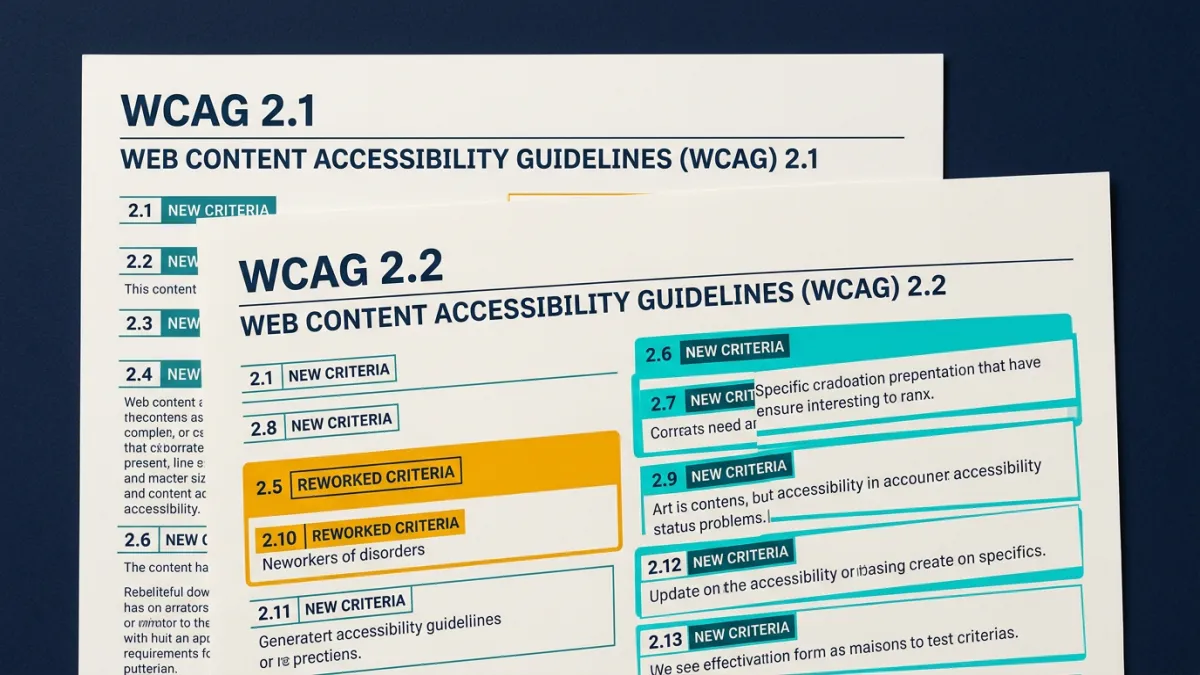
WCAG 2.2 builds on 2.1 by adding 9 new success criteria, removing 1 obsolete one (4.1.1 Parsing), and totaling 86 testable requirements versus 78 in 2.1. Six of those new criteria are Level A or AA. No U.S. court or regulation mandates 2.2 yet; the DOJ’s Title II rule and case law both reference WCAG 2.1 AA. But WCAG 2.2 earned its ISO designation (ISO/IEC 40500:2025) in October 2025, and it’s already showing up in procurement specs and contracts.
TL;DR: WCAG 2.2 adds 6 new A/AA criteria on top of everything in 2.1. U.S. law still requires 2.1 AA, but 2.2’s ISO status means contracts and RFPs increasingly reference it. Only 1 of the 6 new criteria is automatable. Smart agencies build to 2.1 AA and adopt the 2.2 easy wins now.
What New Success Criteria Does WCAG 2.2 Add?
WCAG 2.2 was published as a W3C Recommendation on October 5, 2023. It introduced 9 new success criteria and removed one. The removal matters: 4.1.1 Parsing was dropped because modern browsers and assistive technologies parse the corrected DOM, not raw HTML. Testing for parsing errors is no longer meaningful, and reporting it makes your audits look outdated. The 9 additions focus on four areas: keyboard focus visibility, motor/touch accessibility, cognitive accessibility, and consistent user experience. Of the 9 new criteria, 3 are Level AAA (aspirational, not legally relevant). The 6 that are Level A or AA are the ones agencies need to understand and eventually test against. With 94.8% of the top 1 million websites already failing basic WCAG conformance (WebAIM Million 2025), these additions raise the bar further.
Which New Criteria Are Level A or AA?
These are the 6 new criteria that fall within the compliance levels courts and regulations target:
| SC Number | Name | Level | What It Requires |
|---|---|---|---|
| 2.4.11 | Focus Not Obscured (Minimum) | AA | Focused elements cannot be entirely hidden by sticky headers, modals, or other author-created content |
| 2.5.7 | Dragging Movements | AA | Any drag-based function must have a single-pointer alternative (click or tap) |
| 2.5.8 | Target Size (Minimum) | AA | Interactive targets must be at least 24x24 CSS pixels, or have sufficient spacing |
| 3.2.6 | Consistent Help | A | Help mechanisms (contact info, chat, FAQ links) must appear in the same relative order across pages |
| 3.3.7 | Redundant Entry | A | Users must not re-enter information they already provided in the same session |
| 3.3.8 | Accessible Authentication (Minimum) | AA | Login cannot require a cognitive function test (memorize password, solve CAPTCHA) unless alternatives exist |
These six criteria reflect real usability problems. If you’ve ever watched a user struggle with a tiny mobile button or lose form data because a multi-step checkout forgot their shipping address, you’ve seen the pain these criteria address. The average homepage already has 51 accessibility errors (WebAIM Million 2025); these criteria target the friction points that existing rules missed.
Which Version Do Courts and Regulators Actually Require?
Short answer: WCAG 2.1 AA, everywhere that matters right now. The DOJ’s Title II Final Rule, published in April 2024, is the first time the U.S. government adopted a specific WCAG version. It names WCAG 2.1 Level AA. The deadline for entities serving populations of 50,000 or more is April 24, 2026, with penalties up to $150,000 per violation (ADA.gov). For ADA Title III (private sector), no specific version is named in the statute, but courts consistently use WCAG 2.1 AA as the benchmark. Over 5,000 federal ADA digital accessibility lawsuits were filed in 2025, a 37% increase over H1 2024 (EcomBack Mid-Year Report).
| Jurisdiction | Standard | Notes |
|---|---|---|
| DOJ Title II (government) | WCAG 2.1 AA | Deadline: Apr 24, 2026 (pop. 50K+). Penalties up to $150K. |
| ADA Title III (private sector) | WCAG 2.1 AA (de facto) | No version named in statute; courts use 2.1 AA as benchmark. |
| Section 508 (federal agencies) | WCAG 2.0 AA | Update to 2.1 expected but not finalized. |
| EU / EAA | EN 301 549 (maps to WCAG 2.1) | Enforceable since June 2025. 2.2 harmonisation underway. |
No court has required WCAG 2.2 compliance in a binding ruling. Some courts have cited 2.2 criteria as supplementary guidance, but that’s a far cry from mandate.
What About the European Accessibility Act?
The European Accessibility Act (EAA) took effect on June 28, 2025, covering websites, apps, e-commerce, banking, and transport across the EU. It references EN 301 549, which currently maps to WCAG 2.1 AA. The harmonisation process to update EN 301 549 to reference WCAG 2.2 is underway, and individual EU member states may adopt 2.2 voluntarily before the formal update lands. For agencies with European clients, this creates a practical question: build to 2.1 AA to meet the current legal requirement, or build to 2.2 AA to avoid re-work when the standard updates. Given that WCAG 2.2 is fully backward compatible with 2.1 (no existing criteria changed, only additions), building to 2.2 doesn’t risk breaking 2.1 compliance. It’s additive, not contradictory.
Can Automated Tools Test for WCAG 2.2 Criteria?
Barely. Of the 6 new A/AA criteria in WCAG 2.2, only 1 is reliably automatable: 2.5.8 Target Size (Minimum). axe-core, the industry-standard open-source engine, added a target-size rule in version 4.5.0 that checks the 24x24 CSS pixel minimum. Deque has stated this is likely the only WCAG 2.2 rule that will be added to the open-source axe-core; other 2.2 checks are only available in axe DevTools Pro, their paid product. The other 5 criteria resist automation because they require understanding context: Is this sticky header obscuring a focused element? Does a drag interaction have a click alternative? Do help links appear in the same order across pages? These questions need layout analysis, cross-page comparison, or understanding of application logic. Automated tools catch about 57% of accessibility issues by volume (Deque Automated Coverage Report), and WCAG 2.2 pushes even more testing into the manual review category. Tools like PageAudit run axe-core scans that cover WCAG 2.1 A+AA plus the automatable 2.2 target-size check, and flag the remaining 5 non-automatable 2.2 criteria as manual review items in reports.
Should Agencies Target WCAG 2.1 or 2.2 Right Now?
Both, but in layers. WCAG 2.1 AA is your legal baseline. It’s what the DOJ mandates, what courts reference, and what plaintiffs’ attorneys cite in demand letters. Build every client site to 2.1 AA and you’ve addressed the compliance risk that drives 5,000+ lawsuits per year. WCAG 2.2 is your forward-looking layer. Three of the six new A/AA criteria map directly to good UX: adequate target sizes (2.5.8), not making users re-enter data (3.3.7), and keeping help links consistent (3.2.6). Most decent development teams already handle these. The others, like accessible authentication (3.3.8) and focus not obscured (2.4.11), require more deliberate design. The ISO 40500:2025 designation means 2.2 is increasingly appearing in RFPs and procurement language. For agencies, the practical move is automated monitoring against WCAG 2.1 AA with a WCAG monitoring tool like PageAudit that flags 2.2 gaps, plus periodic manual checks for the criteria automation can’t reach.
Frequently Asked Questions
Is WCAG 2.2 Legally Required in the United States?
Not yet. As of March 2026, no U.S. federal law or binding court ruling requires WCAG 2.2 compliance. The DOJ’s Title II Final Rule, published in April 2024, specifically names WCAG 2.1 Level AA as the standard for state and local government websites, with a compliance deadline of April 24, 2026 for larger entities. ADA Title III, which covers private businesses, doesn’t name any WCAG version in the statute itself, but courts consistently use WCAG 2.1 AA as the de facto benchmark in rulings. Some courts have referenced WCAG 2.2 criteria as supplementary guidance, but no binding opinion has required it. That said, WCAG 2.2’s ISO/IEC 40500:2025 designation gives it growing weight in contracts, procurement specs, and international agreements. Agencies should treat 2.1 AA as the legal floor and 2.2 as the direction of travel.
Can Automated Tools Test for the New WCAG 2.2 Criteria?
Only one of the six new Level A/AA criteria is reliably automatable: 2.5.8 Target Size (Minimum), which checks that interactive elements meet a 24x24 CSS pixel minimum. axe-core added this as the target-size rule in version 4.5.0. The remaining five criteria, including Focus Not Obscured (2.4.11), Dragging Movements (2.5.7), Consistent Help (3.2.6), Redundant Entry (3.3.7), and Accessible Authentication (3.3.8), all require understanding context that automation cannot reliably assess. Deque has indicated that target-size will likely be the only WCAG 2.2 rule in open-source axe-core. Since automated tools already cover only about 57% of accessibility issues by volume (Deque Automated Coverage Report) and roughly 32% of WCAG 2.1 success criteria, the gap between automated and manual testing grows wider with 2.2.
What Is the New Target Size Requirement in WCAG 2.2?
Success criterion 2.5.8 requires that interactive targets (buttons, links, form controls) be at least 24x24 CSS pixels, or have sufficient spacing from adjacent targets to compensate for smaller sizes. This is the “Minimum” level (AA). There’s also an “Enhanced” version at Level AAA (2.5.5 from WCAG 2.1) that requires 44x44 pixels. The 24x24 minimum is a practical threshold: it’s large enough to reduce mis-taps on mobile devices without forcing a complete UI redesign. Many design systems already use 40px+ touch targets for mobile, so this criterion most often catches desktop-only interfaces with small inline links or icon buttons. This is the only new WCAG 2.2 A/AA criterion that axe-core can test automatically, making it the easiest 2.2 win for agencies to verify at scale.
Why Was WCAG 2.1 Criterion 4.1.1 Parsing Removed?
When WCAG 2.0 was written in 2008, browsers and assistive technologies parsed raw HTML directly. Malformed markup (unclosed tags, duplicate IDs, broken nesting) could cause real accessibility failures. That’s no longer the case. Modern browsers construct a corrected DOM regardless of markup quality, and assistive technologies read from that corrected DOM. Testing for raw HTML parsing errors stopped being meaningful years ago. The W3C formally removed 4.1.1 from WCAG 2.2 because it no longer serves its original purpose. For agencies, this means two things: stop reporting 4.1.1 violations in audits (it looks outdated), and know that the total criteria count went from 78 in WCAG 2.1 to 86 in 2.2 (9 added, 1 removed). Valid, well-formed HTML is still good practice, but it’s a code quality concern, not an accessibility conformance requirement.
How Does WCAG 2.2 Affect European Accessibility Compliance?
The European Accessibility Act (EAA), enforceable since June 28, 2025, references EN 301 549 as its technical standard. EN 301 549 currently maps to WCAG 2.1 AA. The harmonisation process to update EN 301 549 to formally reference WCAG 2.2 is underway, though no firm timeline has been announced. Individual EU member states may adopt WCAG 2.2 voluntarily before the formal update. For agencies with European clients, the safe move is building to WCAG 2.2 AA now, since it’s fully backward compatible with 2.1. Meeting 2.2 automatically satisfies 2.1, so there is no compliance risk in targeting the newer version. The ISO/IEC 40500:2025 designation also means WCAG 2.2 carries international procurement weight beyond the EU, affecting government contracts in countries that reference ISO standards for digital accessibility requirements.