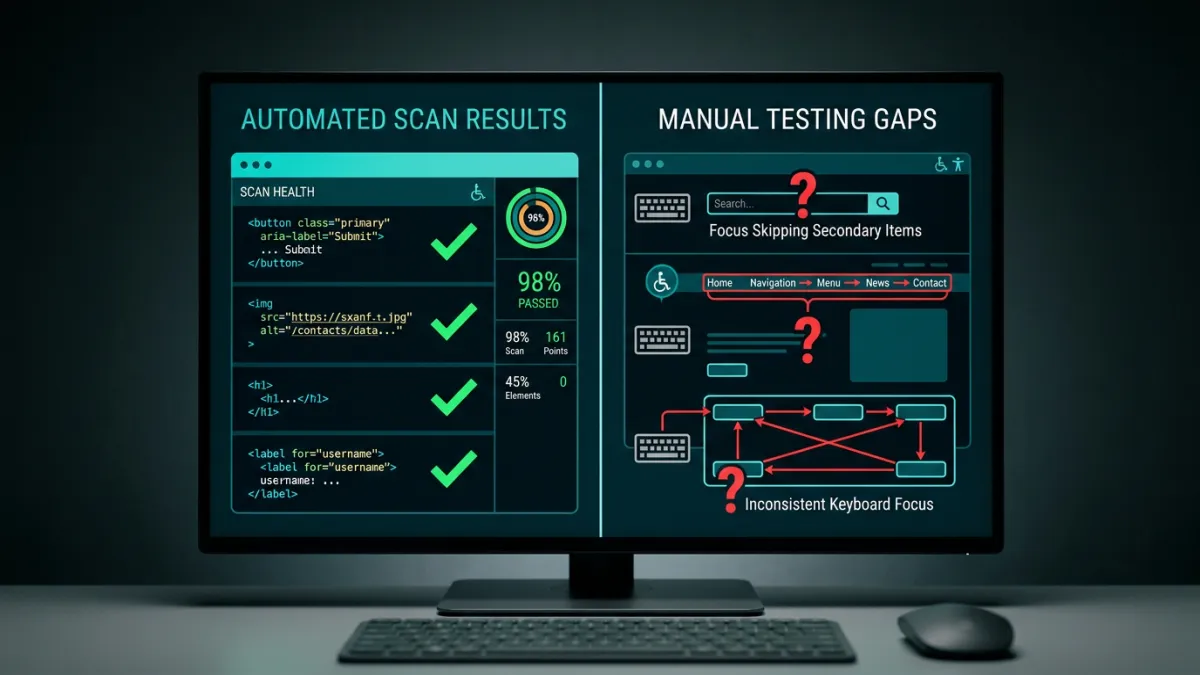
You shipped a redesign for a client last quarter. The manual accessibility audit came back clean. Three months later, a developer pushed a content update that stripped alt attributes from 200 product images, and nobody caught it until a demand letter showed up.
Automated accessibility tools catch about 57% of real-world WCAG issues by volume, according to a Deque Systems study covering 2,000+ audits and roughly 300,000 individual issues. But they only cover about 32% of WCAG 2.1 A+AA success criteria. That distinction matters more than most agencies realize.
TL;DR: Automated scanners like axe-core detect ~57% of accessibility issues by volume but cover only 32% of WCAG success criteria. The high detection rate comes from a handful of common, automatable violations (missing alt text, color contrast, missing form labels). The remaining 43% of issues, including keyboard traps, focus order problems, and inadequate error handling, require manual testing.
How Much Do Automated Accessibility Tools Actually Catch?
The most cited number comes from Deque’s Automated Accessibility Coverage Report: automated tools identify 57.38% of accessibility issues found across 13,000+ pages. That sounds decent until you look at how the number breaks down. axe-core, the engine behind most scanners including Lighthouse and WAVE, has rules mapped to roughly 16 of the 50 WCAG 2.1 Level A and AA success criteria (Deque Automated Coverage Report). That is 32% of the criteria with any automated coverage at all.
A separate analysis by Accessible.org applied to WCAG 2.2 AA (55 criteria) found an even starker breakdown: only 13% of criteria are reliably flagged, 45% are partially detectable, and 42% are not detectable at all by any automated tool. The 94.8% of websites that fail WCAG conformance (WebAIM Million 2025) are failing on issues that span both categories.
Why Is There a Gap Between 57% Issue Coverage and 32% Criteria Coverage?
A small number of WCAG criteria produce a massive share of real-world violations. Missing alt text (SC 1.1.1), insufficient color contrast (SC 1.4.3), and missing form labels (SC 3.3.2) are all highly automatable, and they account for most of the errors found on the average homepage, which has 51 violations according to WebAIM Million 2025. axe-core has high-confidence rules for all three.
Meanwhile, criteria like Focus Order (SC 2.4.3), No Keyboard Trap (SC 2.1.2), and Content on Hover or Focus (SC 1.4.13) require interactive testing that no static scanner can perform. These criteria produce fewer individual violations but are harder to remediate and more likely to trigger legal complaints. The math works out: automation catches the high-frequency, lower-complexity issues while missing the lower-frequency, higher-impact ones.
Which WCAG Criteria Can Automated Tools Test?
Here is how the 50 WCAG 2.1 A+AA success criteria break down by automation potential:
| Category | Criteria Count | Examples | Detection Confidence |
|---|---|---|---|
| Fully automatable | ~8 | Alt text presence, color contrast, page title, lang attribute | High |
| Partially automatable | ~8 | ARIA validity, link names, list structure, bypass blocks | Moderate (detects presence, not quality) |
| Not automatable | ~34 | Keyboard navigation, focus order, reflow, error handling, captions | None or negligible |
The “partially automatable” category is where most confusion lives. axe-core can verify that an image has an alt attribute, but it cannot tell you whether alt="image" is actually meaningful. It can check that a form field has a <label>, but not whether that label makes sense to a screen reader user. SC 4.1.2 (Name, Role, Value) has 20+ axe-core rules for ARIA correctness, making it the most extensively covered single criterion (Deque).
What Do Automated Tools Miss That Gets Agencies in Trouble?
The 30+ criteria with no automated coverage are not obscure edge cases. Keyboard accessibility (SC 2.1.1, 2.1.2) requires actually navigating a page with a keyboard to find traps and broken tab orders. Focus Visible (SC 2.4.7) requires visual inspection of focus indicators. Error Identification (SC 3.3.1) and Error Suggestion (SC 3.3.3) require evaluating whether form errors are described in text and whether suggestions are helpful. None of these can be answered by parsing HTML.
The legal risk here is real. ADA website lawsuits surged 37% year-over-year in the first half of 2025 (EcomBack Mid-Year Report), and 4,000+ suits are filed annually in US courts (EcomBack 2024). Overlay widgets that claim to fix these problems with JavaScript are part of the problem: 25% of 2024 lawsuits targeted sites with overlay widgets installed (EcomBack 2024), and the FTC fined accessiBe $1M for false advertising claims about their product’s capabilities (FTC, January 2025).
Does axe-core Produce False Positives?
axe-core’s design philosophy is “zero false positives.” When the engine is not confident enough to call something a violation, it returns results in an “incomplete” or “needs review” category instead. In practice, some edge cases still produce inaccurate results, particularly around color contrast. Background colors in CSS pseudo-elements (::before/::after) are not detected, gradient backgrounds are not parsed, and overlapping elements can cause incorrect flags (axe-core GitHub issues #975, #2680, #3431). These false positives tend to appear in heavily-styled marketing pages rather than standard content layouts.
How Can Agencies Close the Gap Between 57% and Full Coverage?
The answer is layered testing. Automated scans handle the 57% of issues that are high-volume and pattern-based: missing alt text, broken ARIA attributes, color contrast failures. Run these continuously so regressions from developer deploys get caught the same day, not three months later. Tools like PageAudit run axe-core scans across all your client sites daily and flag regressions the moment a deploy breaks compliance, at a fraction of the cost of manual audits ($100-$250 per page, according to Accessible.org).
For the remaining 43%, schedule periodic manual audits focused on the criteria automation cannot reach: keyboard navigation, focus management, error handling, and media alternatives. Deque’s research shows that semi-automated testing, where automation guides a human through structured prompts for the manual criteria, can push total coverage to approximately 80% (Deque Semi-Automated Coverage Report). That combination of continuous automated monitoring plus quarterly focused manual reviews gives agencies the strongest compliance posture without the cost of full manual audits on every page, every month.
Frequently Asked Questions
Can an Automated Scan Replace a Manual Accessibility Audit?
No, and any tool that claims otherwise is misleading you. Automated scans cover approximately 57% of real-world issues by volume and only 32% of WCAG 2.1 A+AA success criteria (Deque Automated Coverage Report). The remaining criteria, including keyboard accessibility, focus management, meaningful reading order, and adequate error handling, require a human evaluator interacting with the page. What automated scans do well is catch regressions between manual audits. If you run a full manual audit quarterly, automated daily scans fill the gap by flagging new violations from code changes, content updates, or third-party script additions. Think of it as a smoke detector, not a fire inspection. Both serve a purpose, but they are not interchangeable.
What Is the Difference Between Issue Coverage and Criteria Coverage?
Issue coverage measures the percentage of individual violations that automated tools find across real websites. Criteria coverage measures the percentage of WCAG success criteria that have at least one automated test. Deque reports 57% issue coverage because a handful of automatable criteria (alt text, contrast, labels) generate the vast majority of violations found on the web. But criteria coverage sits at only 32% because 34 of 50 WCAG 2.1 A+AA success criteria have no meaningful automated checks. A tool can catch thousands of missing alt text instances (one criterion, many violations) while being completely blind to keyboard traps, focus order problems, and error handling issues (many criteria, fewer individual violations). Both numbers are accurate. Neither tells the whole story alone.
Why Do Automated Tools Miss Nearly Half of Accessibility Issues?
Most WCAG success criteria require judgment that static code analysis cannot provide. Can a user navigate this page with only a keyboard? Does the focus indicator meet minimum contrast requirements? Is the reading order logical when CSS positioning rearranges visual layout? Is this image decorative (needs alt="") or informative (needs descriptive alt text)? These questions require understanding context, intent, and user experience, not just parsing DOM structure. Accessible.org found that 42% of WCAG 2.2 AA criteria are not detectable at all by any automated tool, and another 45% are only partially detectable, meaning the tool can flag potential issues but a human must make the final call. The fundamental limitation is that accessibility is about user experience, and user experience cannot be fully evaluated by a machine reading HTML.
How Often Should Agencies Run Automated Accessibility Scans?
Daily, or at minimum after every deploy. The value of automated scanning is not in one-time audits. It is in catching regressions. Developer deploys, CMS content updates, and third-party script changes can introduce new violations at any time. A quarterly manual audit leaves you blind for 90 days between checks. The WebAIM Million 2025 report found an average of 51 errors per homepage across the top million websites, and those numbers shift constantly as sites change. Continuous automated monitoring catches the 57% of issues it can detect within hours of introduction, giving your team time to fix violations before they become demand letters. Pair daily automated scans with quarterly manual reviews targeting the criteria automation cannot cover, and you have a defensible compliance workflow.
What Does “Needs Review” Mean in an Accessibility Scan Report?
When axe-core encounters an element where it cannot determine pass or fail with certainty, it categorizes the result as “incomplete” or “needs review” rather than calling it a violation. This is by design: axe-core’s core principle is zero false positives, so uncertain results get flagged for human judgment instead of being reported as definitive failures (Deque). Common “needs review” items include color contrast on elements with gradient backgrounds, images where alt text exists but quality cannot be assessed, and ARIA attributes where correctness depends on the component’s intended behavior. These items are not failures. They are questions that require a human to answer. A good scan report surfaces these separately from confirmed violations so your team knows what to fix immediately and what to evaluate manually.